Clynt.ai
FEATURES

Your court record,
read back to you.

Clynt captures your EOIR docket automatically — then reads it back to you: morning briefs, case timelines, plain-English answers. All grounded in your own captured record.

THE AI SUITE

The docket that reads itself.

Every feature below works from one source: the court record Clynt captured from your own EOIR session. It's a snapshot of that record — source-linked, time-stamped, never a substitute for your case file, and it never invents legal substance.

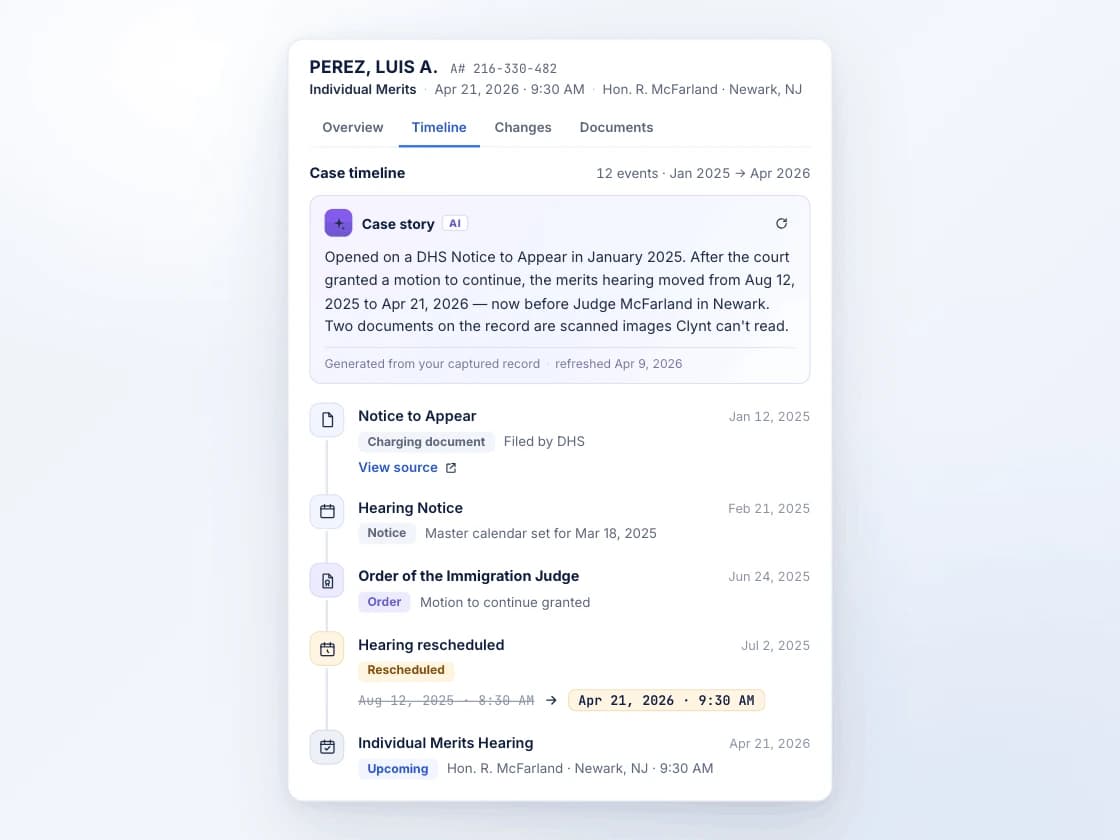
Hearing drawer Timeline tab: an AI case story above a chronological spine of captured court events
01

Case Timeline

Starter+

Every notice, order, reschedule, and filing Clynt captured, woven into one chronological story of the case — with a short plain-English overview on top. Stop reconstructing what happened from a messy record; open the case and read it.

Built only from your captured record — verify against your file.
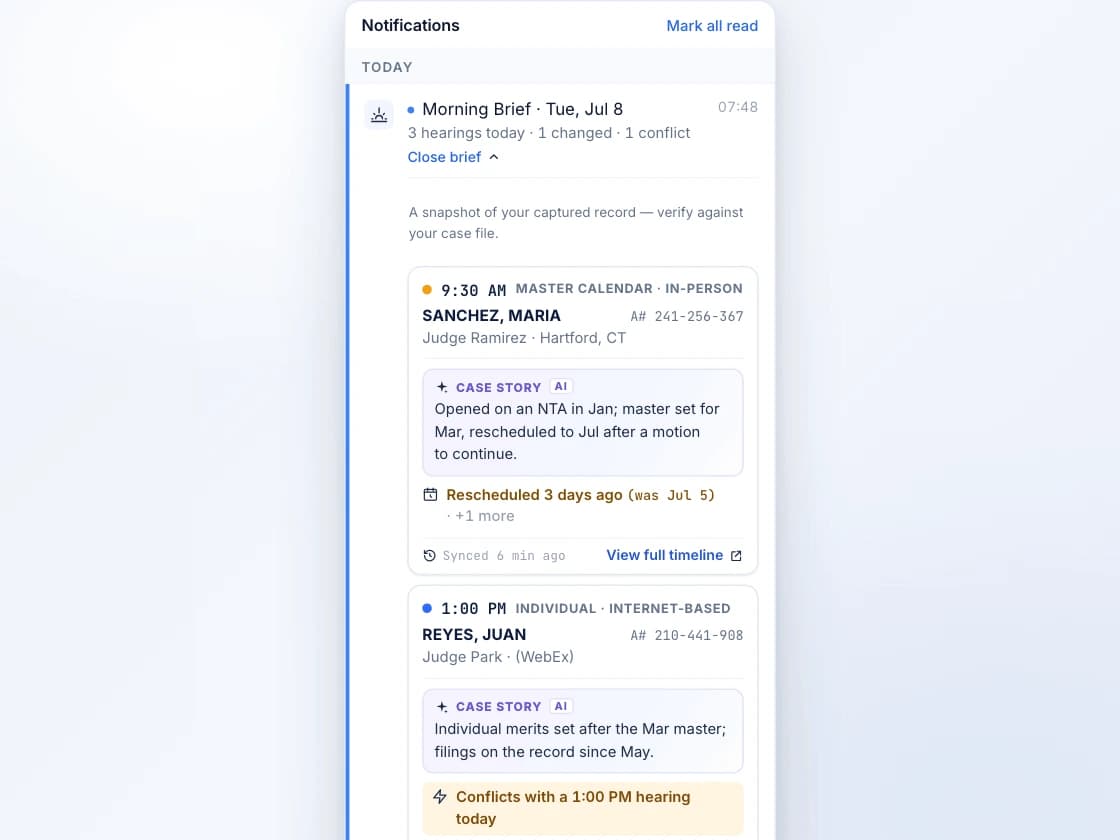
Notifications panel expanded into Morning Brief prep cards for today's hearings
02

Morning Brief

Starter+

One prep card for every hearing on today's docket — who, when, where, what changed overnight, and whether anything collides. Open the bell with your coffee and read all of today in twenty seconds.

A snapshot of your captured record, with a last-synced stamp on every card.
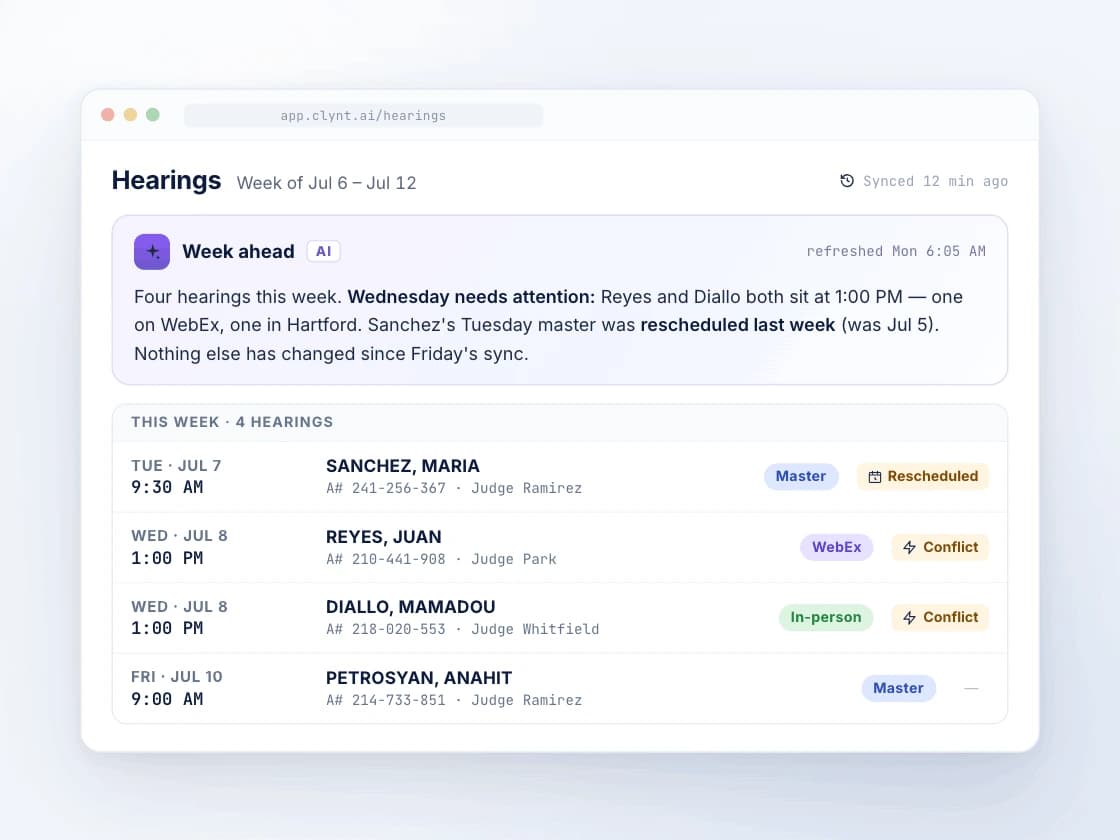
Hearings dashboard with a Week-Ahead AI summary card above the upcoming docket
03

Week-Ahead Summary

Starter+

A plain-English read of the week across your whole docket, sitting at the top of your dashboard. Know which day needs attention without opening a single case.

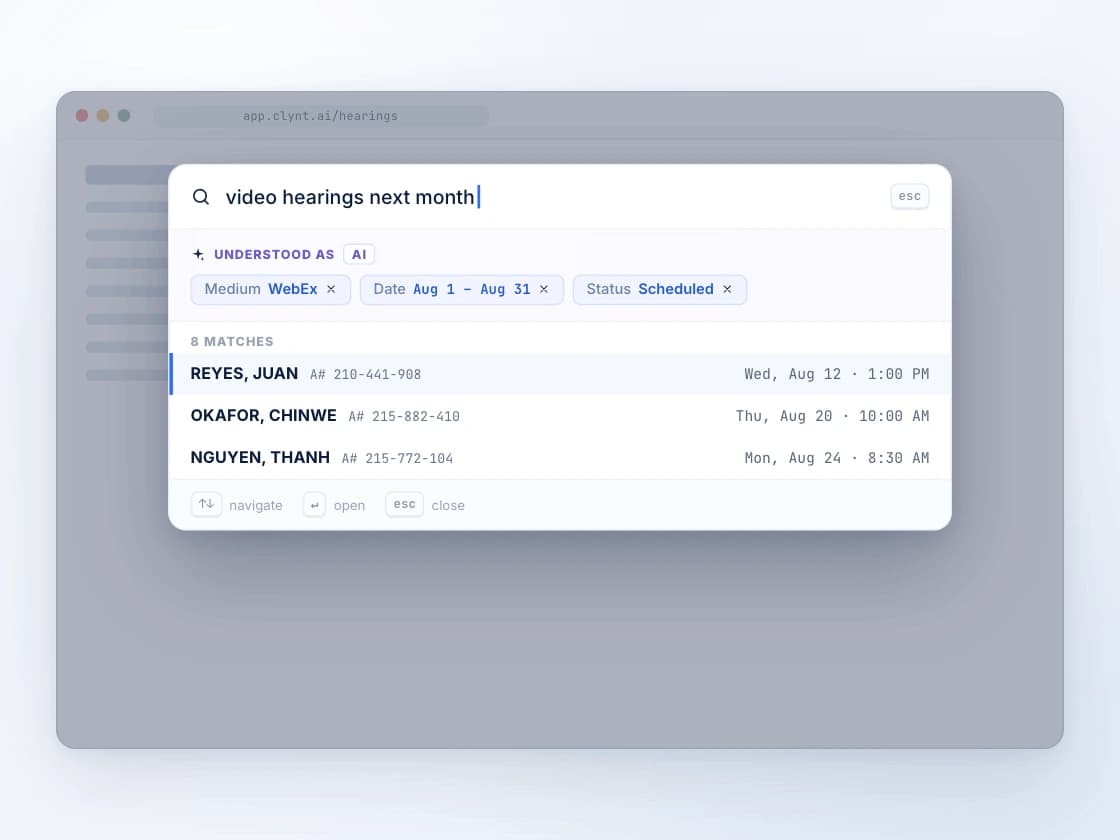
Search overlay turning the phrase 'video hearings next month' into filter chips and matching hearings
04

Plain-English Search

Starter+

Ask for "video hearings next month" or "everything in front of Judge Ramirez" and Clynt turns it into the right filters. No query syntax to learn — say what you mean.

A captured court notice beside an AI panel that detected a reschedule and extracted the key dates
05

Document & Notice Analysis

Premium

Clynt reads the court notices it captures, flags a reschedule or cancellation, and pulls the key dates out for you. A new date buried on page 3 becomes a change on your dashboard — not a missed hearing.

Read from the captured notice — always verify against the original.
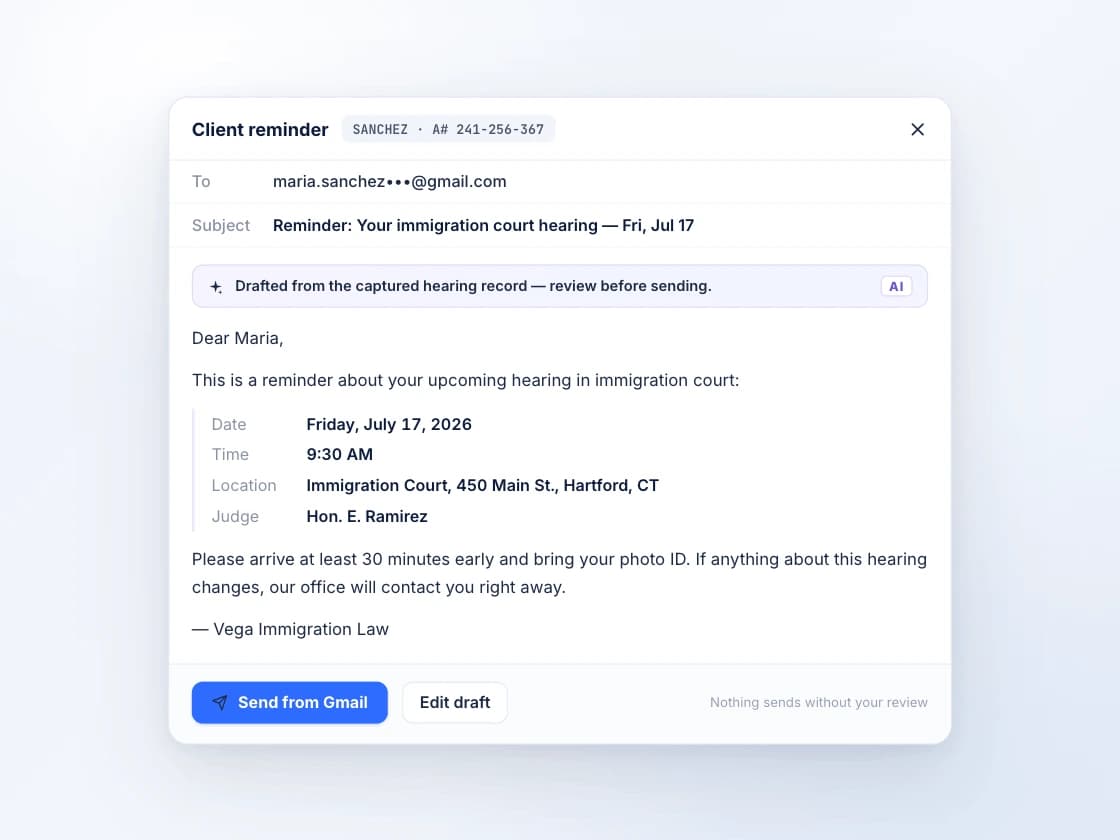
Reminder editor with an AI-drafted client email, hearing details filled in, ready to review and send
06

AI Reminder Drafts

Pro

The client reminder email, drafted for you — hearing details already filled in from the record. Review it, then send it from your own mailbox. Nothing goes out without you.

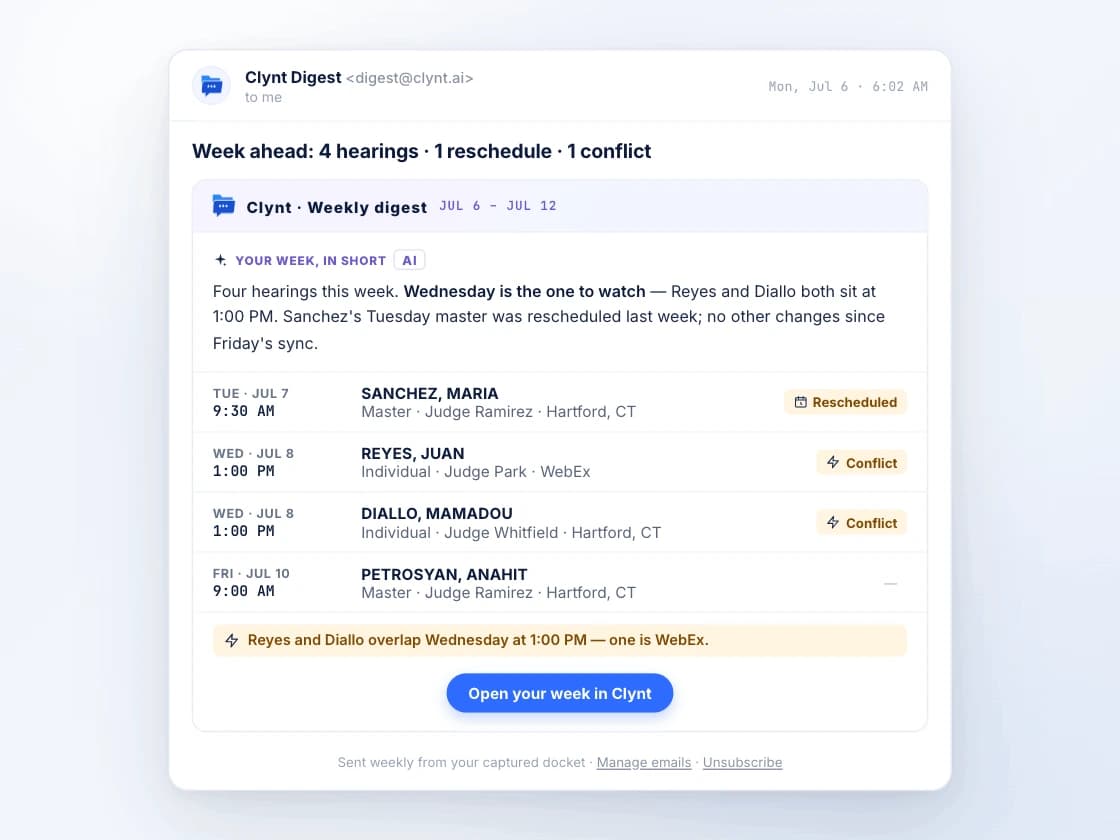
Weekly digest email with a week-ahead narrative, the hearing list, and a conflict line
07

Weekly Digest

All plans

Every week, an email that reads your week ahead back to you — upcoming hearings, recent changes, and conflicts. Your whole practice stays oriented, even the people who never open a dashboard.

THE FOUNDATION

The watchtower under the intelligence.

Four always-on jobs, done well — capture, conflicts, change history, calendar sync. Everything the AI reads, these four caught first.

Automatic capture

Every hearing on your EOIR docket lands in Clynt the next time you open the portal. No exports, no copy-paste, no Friday-afternoon catch-up.

Conflict detection

Two hearings on the same morning in different courts? Clynt flags the overlap so you can move one before it becomes a problem.

Change detection

The reschedule, new date, judge swap, or cancellation EOIR never told you about — Clynt catches it the next time you're in ECAS and logs it with a timestamped history. Your file always reflects what the court did, and when.

Calendar sync

Push every hearing to Google or Outlook — and when Clynt catches a reschedule, the calendar event moves with it. Share to a team calendar so paralegals see what's coming.

HONESTY IS A FEATURE

AI you can put next to a court record.

What separates Clynt's AI from a chatbot over a text box: it's scoped to your record, and it says so.

  • Grounded in your record, not the internet.

    Every summary is generated only from the court record Clynt captured in your own EOIR session — nothing pulled from anywhere else, and your data never trains anyone's models.

  • Source-linked and time-stamped.

    AI cards link back to the captured document they came from and carry a last-synced stamp — so you always know exactly how fresh the snapshot is.

  • A snapshot of the record — never a substitute for the file.

    Clynt summarizes what the record shows, and tells you when it can't read something — like a scanned, image-only PDF. Your case file stays the authority.

  • It never invents legal substance.

    No guessed charges, no suggested relief, no strategy. If it isn't in the captured record, it isn't in the summary.

Start free. Add the intelligence when you're ready.

Capture and change detection are free, no card required. The AI suite unlocks on Starter and up.